File Analyst
Concept
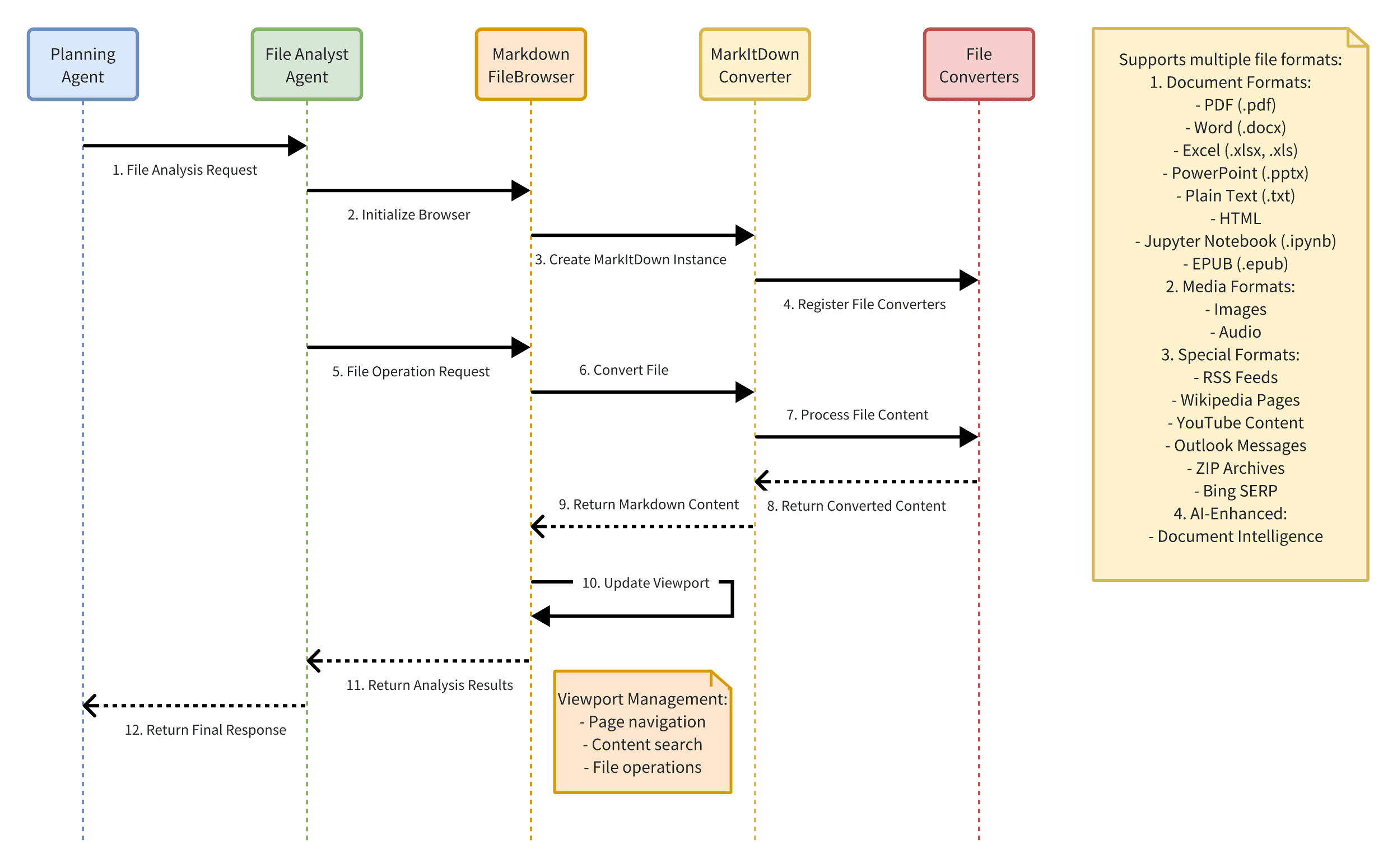
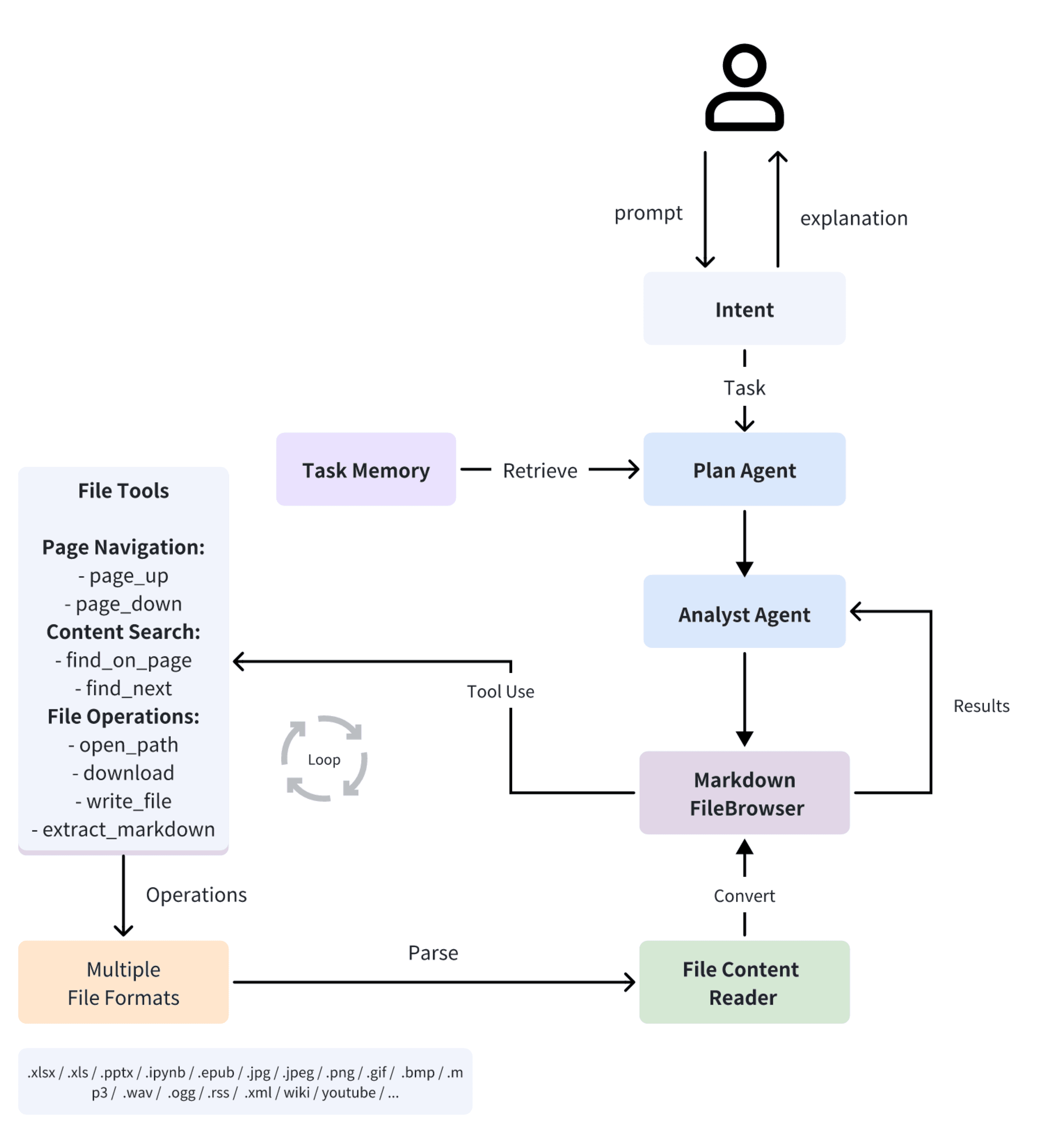
File Analyst is an intelligent file analysis assistant, which can convert more than 15 file formats, including Office documents, PDF, pictures and audio, into Markdown format for processing and analysis through hierarchical architecture and extensible conversion module.
As a highly modular tool, it not only supports intelligent identification and conversion of local files, but also can process online content such as Wikipedia and YouTube through special converters. At the same time, it provides core functions such as Viewport management and content navigation, which makes file analysis and content acquisition simple and efficient.
Components
Supported File Types
| File Type | Converter | File Types | Description |
|---|---|---|---|
| Document | PlainTextConverter | .txt | Plain text file |
| HtmlConverter | .html, .htm | HTML web page file | |
| PdfConverter | PDF document | ||
| DocxConverter | .docx | Word document | |
| XlsxConverter | .xlsx | Excel workbook (new format) | |
| XlsConverter | .xls | Excel workbook (old format) | |
| PptxConverter | .pptx | PowerPoint presentation | |
| IpynbConverter | .ipynb | Jupyter Notebook | |
| EpubConverter | .epub | E-book format | |
| Media | ImageConverter | .jpg, .jpeg, .png, .gif, .bmp | Image file |
| AudioConverter | .mp3, .wav, .ogg | Audio file | |
| Network | RssConverter | .rss, .xml | RSS feed |
| WikipediaConverter | N/A | Wikipedia page content | |
| YouTubeConverter | N/A | YouTube video content | |
| Special | OutlookMsgConverter | .msg | Outlook email message |
| ZipConverter | .zip | Compressed file | |
| DocumentIntelligenceConverter | misc | AI-enhanced document understanding |
Notes:
- Some converters (like WikipediaConverter) do not rely on specific file extensions but process specific types of content.
- DocumentIntelligenceConverter can handle multiple document formats; the specific supported range depends on the configuration.
- All converters will eventually convert the content to Markdown format.
- Some formats may require additional system dependencies or API support (e.g., DocumentIntelligence requires endpoint configuration).
Workflow